How to Use Telegram Proxy in Russia - 2026 Guide

TelegramProxy
Last updated: July 15, 2026
Telegram access can vary by network, region, mobile carrier, workplace, school, or public Wi-Fi provider. A Telegram proxy can help route Telegram traffic through another server when direct access is slow or unavailable.
This guide covers practical setup and safety checks. For live endpoints, use the Russia free proxy list or the full free proxy directory.
Which Telegram proxy type should you use?
MTProto proxy
MTProto is Telegram's proxy protocol. It is usually the best first option when you only need Telegram access.
- Works directly inside Telegram
- Uses a server, port, and secret
- Opens with a
tg://proxyorhttps://t.me/proxylink - Usually simpler than configuring a system-wide VPN
SOCKS5 proxy
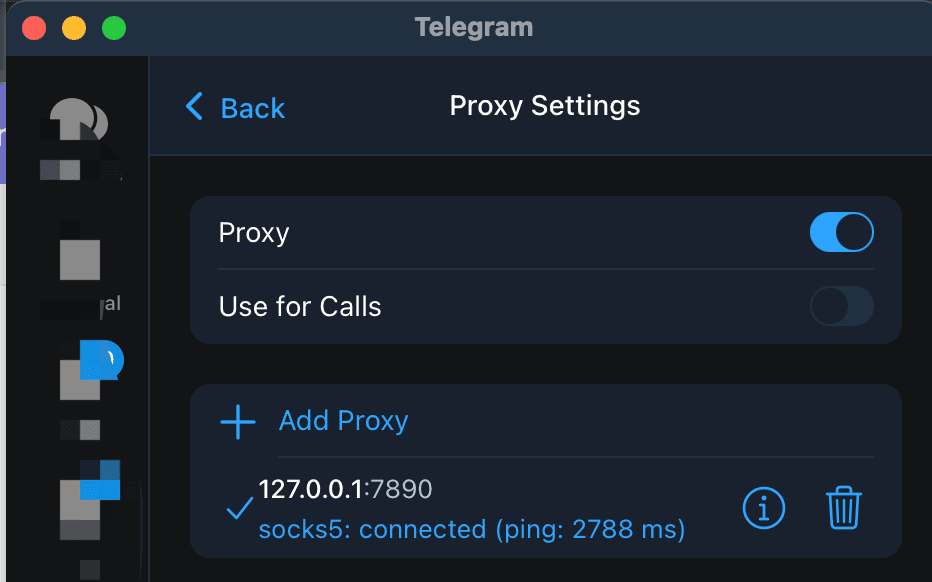
SOCKS5 is a general proxy protocol. It can work with Telegram and other apps, but it does not automatically mean the proxy operator is trustworthy.
- Works in Telegram desktop and mobile clients
- May require a username and password
- Useful when you need one proxy for multiple applications
Fastest setup method
- Open free Telegram proxies for Russia.
- Tap Connect on a working MTProto row.
- Confirm Telegram shows the proxy as enabled.
- If it fails, try the next server—public lists rotate.
Manual setup steps for each OS: platform setup guide.
Safety checks before you trust a public proxy
- Prefer MTProto one-click links over unknown SOCKS5 passwords from random chats
- Expect downtime: free proxies disappear without notice
- Do not treat a public proxy as a complete privacy product—see privacy and safer setup
- Remember: TelegramProxy is a directory of third-party endpoints, not Telegram itself
When a proxy is not enough
Some networks block proxy protocols, inject interference, or require different tools. If every public endpoint fails, the issue may be local network policy rather than a single bad server.
Related guides
Related guides
- Telegram Proxies: Privacy, Access, and Safer Setup Guide
Learn what Telegram proxies can and cannot do for privacy, access, and safe Telegram setup.
- Unlocking Telegram in the Netherlands - A Guide to Using Proxies
Learn how to use Telegram proxies in the Netherlands to enhance privacy and bypass network restrictions. Complete setup guide for MTProto and SOCKS5 proxies.
- Telegram Proxy Server: Where to Find the Host, Port, and Secret
Find a complete Telegram proxy server entry, match its MTProto fields, and test the connection without treating an online label as a guarantee.