Telegram Proxy Server: Where to Find the Host, Port, and Secret

TelegramProxy
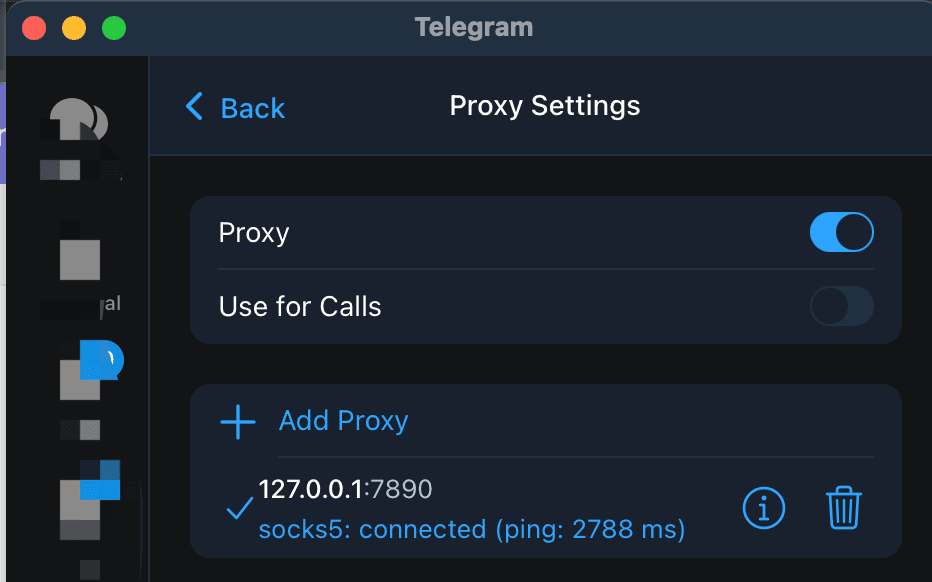
If you need a Telegram proxy server, use one complete MTProto record rather than copying an address by itself. Open the free MTProto proxy list, choose one row, and use Connect so Telegram receives that row's server, port, and secret together. Telegram's official documentation requires all three values for MTProto; SOCKS5 uses a server and port, with an optional username and password. After Telegram saves the entry, enable it, look for the shield icon, and refresh a chat or send a short test message on the network you plan to use. The directory's Online badge and latency come from its own TCP check. They do not confirm the secret, a Telegram session, message delivery, or reachability from your ISP. If a link does not open, enter the same row manually in Proxy settings. If Telegram stays on Connecting, recheck the three values, disable a second VPN or proxy, and try another entry.
What do the server, port, and secret mean?
An MTProto entry has three required pieces. The server is a host name or IP address, the port identifies the network service, and the secret is the MTProto credential. Telegram's deep-link specification names the same fields as server, port, and secret in a proxy link.
| Field | What to copy | Common mistake | | --- | --- | --- | | Server | The host name or IP address from one row | Dropping part of a long host name | | Port | The numeric port from that same row | Copying the port from another entry | | Secret | The complete MTProto secret from that row | Changing a character or mixing rows |
Keep the three values together. A server and port from one public listing paired with a secret from another listing describes a different endpoint and can leave Telegram on Connecting.
Where can you find a complete Telegram proxy server entry?
The TGProxyHub free proxy list groups public entries by country and shows each row's server, port, protocol, and available health information. Select an MTProto row and use its Connect button when Telegram is installed on the same device. The site creates a Telegram proxy handoff from that row, which reduces copying errors.
The list is a directory of third-party endpoints. Rows can disappear, change operators, or stop responding between checks. Choose a row with the full MTProto link, keep the timestamp of your test, and move to another entry when the first one fails repeatedly.
How do you add one complete MTProto entry?
- Open the free Telegram proxy list and choose one MTProto row.
- Select Connect and allow the link to open Telegram.
- Confirm that Telegram saved the same server, port, and secret from that row.
- Enable the proxy and return to the chat list.
- If the link does not save the entry, open Telegram's proxy settings and enter the three fields manually.
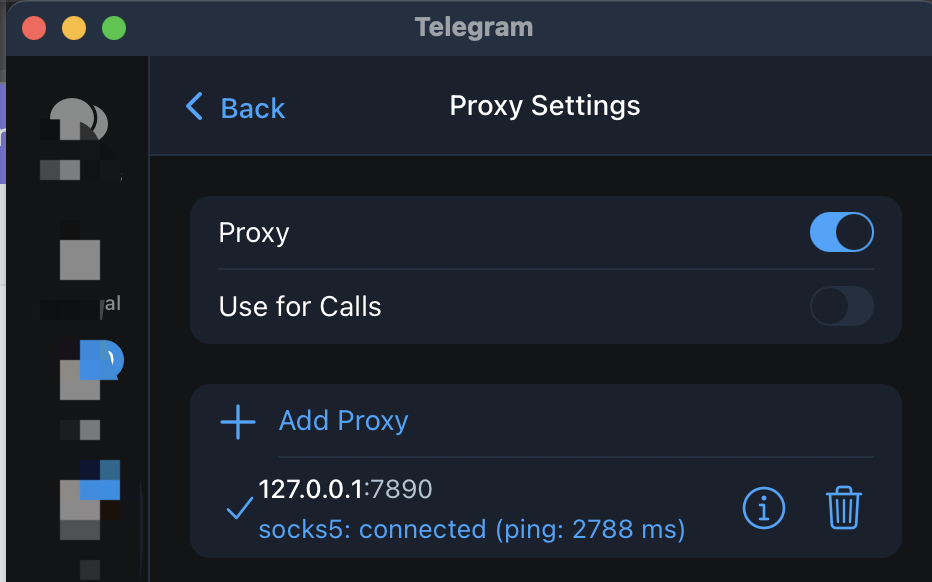
Telegram documents these settings paths: Settings > Data and Storage > Proxy Settings on Android, Settings > Data and Storage > Proxy on iOS, Settings > Advanced > Connection Type on Telegram Desktop, and Settings > Data and Storage > Use Proxy on Telegram for macOS. The cross-platform setup guide has the same paths with client screenshots.
How do you test whether the server works in Telegram?
Use the same proxy and network while you check each stage:
- Telegram saves the entry and shows it as enabled.
- A shield icon appears at the top of the chat list.
- An existing chat refreshes or a short text message sends.
The third check tests more of the path than a saved form or shield alone. If possible, repeat it on Wi-Fi and mobile data without changing the proxy fields. A difference between the two networks points to a route or filtering difference under those conditions. It does not prove a country-wide rule or establish where the proxy server is physically located.
| What you see | Next check | | --- | --- | | The link opens but the entry is not saved | Enter the same row manually in Telegram's proxy settings | | The entry saves but stays on Connecting | Recheck every character, then try another row | | The shield appears but chats do not refresh | Disable a second VPN or proxy and repeat the chat test | | It works on mobile data but not Wi-Fi | Compare the two network paths with the same entry |
Why can an Online proxy server still fail?
TGProxyHub's directory health check opens a TCP connection to the listed server and port. It does not authenticate the MTProto secret, open a Telegram session, or send a message. An Online badge is useful for sorting candidates, while the Telegram test is the evidence that matters for your device and network.
The same limit applies to latency, success-rate history, and country labels. They describe the directory's observations or classification. They do not promise that the endpoint is reachable from your ISP, that it is physically in the displayed country, or that it will stay available after you test it.
What changes when you use SOCKS5?
SOCKS5 uses a server and port, with an optional username and password when the provider supplies them. MTProto uses a server, port, and secret. Do not add an MTProto secret to a SOCKS5 form or omit the SOCKS5 credentials when the source requires them. Telegram's proxy documentation describes both formats, and the Telegram proxy basics guide explains when each protocol fits.
Telegram proxy server questions
Is a server address enough for an MTProto proxy?
No. Telegram needs the server, port, and secret from one MTProto entry. The address alone cannot describe the complete proxy configuration.
Can you combine fields from two proxy rows?
No. Copy the complete set from one row. A secret belongs with the server and port it was published with.
Does an Online badge prove that Telegram will connect?
No. It reports the directory's low-level check. Enable the proxy in Telegram, refresh a chat, or send a short message on your own network to test the path you need.
Official references
TelegramProxy is not affiliated with Telegram. Public proxy listings are third-party services and may be offline when you test them.
Related guides
- How to Use Telegram Proxy in Russia - 2026 Guide
Learn how Telegram MTProto and SOCKS5 proxies work in Russia, how to connect safely, and what to check before trusting a public proxy.
- Indian Telegram Proxy: How to Choose and Test an MTProto Server
A practical way to use India-listed Telegram proxies, test the full connection in Telegram, and avoid treating an online label as a guarantee.
- Telegram Proxies: Privacy, Access, and Safer Setup Guide
Learn what Telegram proxies can and cannot do for privacy, access, and safe Telegram setup.