Can a Telegram Proxy Make Downloads Faster?

TelegramProxy
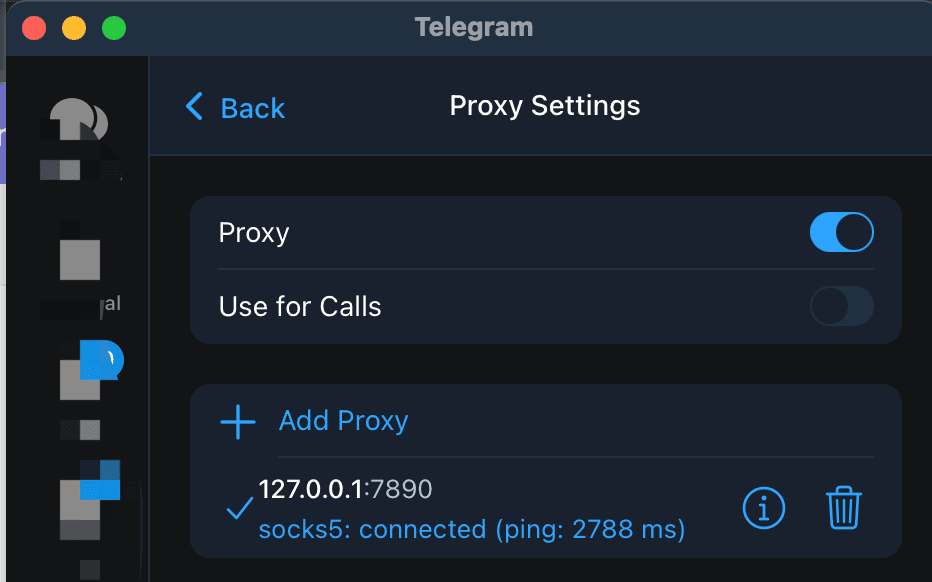
A Telegram proxy can make a download possible when your network cannot reach Telegram directly, and a good route may feel faster than a failing direct path. It cannot promise faster media downloads. The extra server adds another network hop, so throughput depends on the proxy endpoint, your route to it, Telegram's route to the file, and the conditions on the device. Test one file through the direct connection and through one complete proxy entry on the same network. Record whether the file starts, the approximate download time, and whether the speed stays steady. Treat the directory's Online badge and latency as connection signals only; they say nothing about application-level download throughput. If the proxy enables access but slows media, keep it for access and try another endpoint, or disable it for networks where Telegram already works. If both paths are slow, investigate the local network, storage, or Telegram's own media limits before blaming the proxy.
Can a Telegram proxy make downloads faster?
Sometimes, relative to a direct route that cannot reach Telegram or performs poorly. Telegram's MTProxy documentation says that some users choose a proxy for speed and control, but it does not promise a faster result for every server or network. A proxy can also reduce throughput when the endpoint is busy, distant, or reached through a congested path.
The useful question is which route completes the same download more reliably under the same conditions. A country label or a low directory latency does not answer that question. The directory checks the listed server and port; Telegram still has to accept the credentials and deliver the file through the app.
What changes when Telegram downloads through a proxy?
The proxy changes the path between the Telegram app and Telegram's servers. It does not control every part of a media download. The endpoint, your connection to that endpoint, Telegram's own delivery path, the file source, and device storage can all affect the result.
| Proxy type | Details Telegram needs | What to keep together | | --- | --- | --- | | MTProto | Server, port, and secret | All three values from one listing | | SOCKS5 | Server and port, plus a username and password when supplied | The complete record from one listing |
Telegram's official documentation describes these fields and the client settings used to add them. If a proxy entry is incomplete, a speed comparison is meaningless because the app is not testing the intended endpoint. The Telegram proxy server guide explains how to match one complete record.
An account-side limit can also remain unchanged after you switch proxies. Telegram's Premium FAQ describes Premium as removing Telegram-side media download speed limits. That is a separate condition from the quality of a proxy route.
How should you test a Telegram proxy for download speed?
Use a small, repeatable comparison. You do not need a benchmark app, and a single result is not enough to rank proxy servers.
- Choose one complete MTProto or SOCKS5 entry from the free Telegram proxy list. Keep its server, port, secret, username, and password together.
- Stay on one Wi-Fi or mobile connection. Do not change the network between the direct and proxy tests.
- Test the same file without the in-app proxy when Telegram can connect directly. Note whether it starts and how long it takes to finish.
- Enable the proxy, wait for Telegram to show the connected shield, and download the same file again. Keep other VPN or proxy routes unchanged.
- Repeat once if the results are close. If the proxy is slower, try one other complete entry and record the same observations.
The result is a comparison for your device, network, file, and test time. It is not a general speed ranking. A public endpoint can change after the test, and the site's Online state does not measure Telegram media throughput.
Which result points to the proxy?
Use the pattern of the comparison to choose the next check:
| Observation | What it suggests | Next check | | --- | --- | --- | | Direct access fails, while the proxy starts the download | The proxy may be solving a route or access problem | Compare one more endpoint for stability and speed | | Both paths start, but the proxy is consistently slower | This endpoint or its route is adding delay or reducing throughput | Disable it where direct Telegram access works, or try another entry | | Both paths are slow | The proxy is not the only explanation | Check the local connection, device storage, and the same file on another network | | One file is slow and other files are normal | The file or its delivery path may be the variable | Repeat with a second file before changing the proxy |
These observations narrow the cause. They do not identify an ISP policy, a country-wide restriction, or a Telegram service problem by themselves.
What should you change when downloads stay slow?
Start with one variable at a time. If the proxy is required for access, choose another entry from the directory and retest the same file. Copy the complete values from that row instead of combining a server from one entry with a secret from another. If Telegram already works directly, turn off the in-app proxy and compare again; the proxy disable guide lists the client paths.
If the connection drops during a download, check whether Auto-Switch Proxies is moving Telegram between saved entries. The disconnect troubleshooting guide explains how to isolate one endpoint before testing another. Remove a second VPN or system proxy from the comparison, because two routes make the result harder to interpret.
Do not select a server only because its country label sounds nearby. Test the endpoint from the network where you need Telegram to work. A country name describes the directory's label, not a guarantee about physical location, capacity, or download speed.
Does a faster proxy also provide better privacy?
Speed and trust are separate decisions. Telegram says an MTProxy operator cannot read your messages or identify your Telegram account, while the operator can record metadata such as your IP address, connection times, and the fact that you are connecting to Telegram. A fast public endpoint can still be operated by a party you do not know. Review the site's privacy and safer setup guide before using a free proxy for sensitive conversations or files.
Official Telegram documentation
- Telegram MTProxy documentation: proxy behavior, client settings, credentials, and operator limits.
- Telegram Premium FAQ: Telegram-side media download speed limits.
Related guides
- Telegram Proxy Keeps Disconnecting? Fix Auto-Switch and Network Problems
What to check when Telegram connects to a proxy and then drops it, including Auto-Switch Proxies, network changes, and stale endpoints.
- Telegram Proxy Link Not Working? Fix tg://proxy and t.me/proxy
Fix a Telegram proxy link that does nothing, opens a browser, or fails to save the proxy by checking the link format and using manual setup.
- Telegram Proxy Not Connecting in Iran? What to Check When It Shows Online
What to check when a Telegram proxy stays on Connecting in Iran, including the difference between a TCP health check and a real Telegram connection.