Telegram Proxy for Bots: App Proxy vs Bot API

TelegramProxy
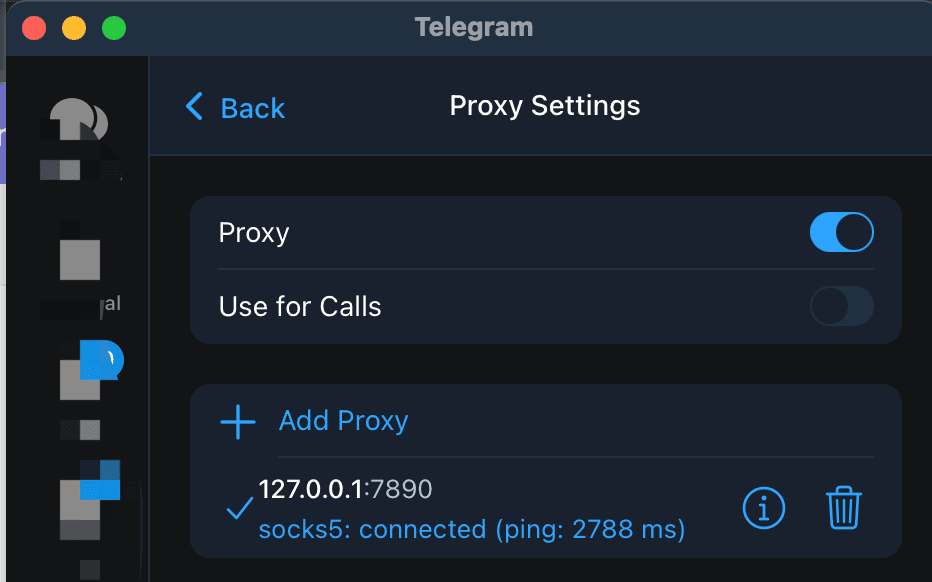
If you mean a bot conversation inside Telegram, the app's proxy can change how that app reaches Telegram. If you run a bot program, the proxy setting in your phone or desktop Telegram app does not configure the program's network connection. Bot API requests go to Telegram over HTTPS at https://api.telegram.org/bot<token>/METHOD_NAME; the app's Proxy setting is separate. Configure a proxy in the HTTP client or network environment where the bot runs, then test getMe from that host. A bot built with an MTProto client or TDLib also needs proxy settings in that client, not in your personal Telegram app. This separates the two common failures: an app-only problem points to the app route, while getMe failing on the bot server points to its route or token. Telegram's proxy documentation describes app-side MTProto and SOCKS5 settings, while its Bot API documentation describes the HTTPS API path. Neither source promises that a public proxy will keep a bot or user session available.
Does a Telegram proxy affect a bot chat?
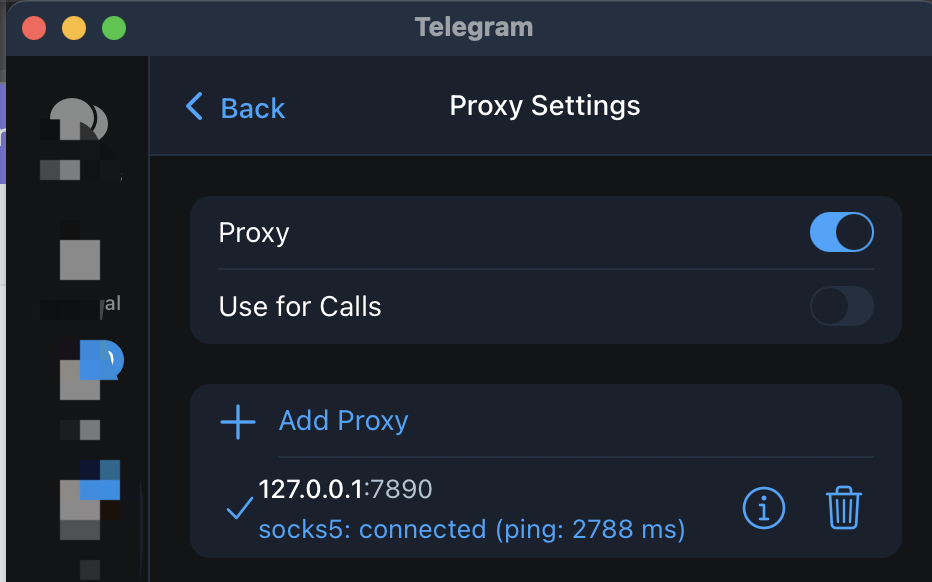
When you open a bot chat in the official Telegram app, the chat uses the app's connection path. The app's Proxy setting is therefore relevant to loading the conversation, sending a message, and receiving a reply in that app. If you need a fresh app-side test, start with one complete entry from the free Telegram proxy list, check the proxy entry, look for the shield icon, and refresh the chat on the network where you need it to work.
That test says something about the Telegram app. It does not test the server that runs your bot. A bot can reply normally to you while its backend cannot reach the Bot API, or the backend can be healthy while your app cannot load the chat through its current route.
| Where the bot runs | Which proxy setting matters | Useful first test |
| --- | --- | --- |
| Official Telegram app | The app's Proxy settings | Refresh a bot chat and send a short test message |
| Program using the Bot API | The bot host's HTTP client or network route | Call getMe from the bot host |
| Program using MTProto or TDLib | The library or client process configuration | Test that process with its own proxy option |
Why does the Telegram app proxy not fix Bot API requests?
Telegram documents the Bot API as an HTTPS interface. A program calls a URL such as https://api.telegram.org/bot<token>/getMe, and the request leaves from the machine, container, or server running that program. The Proxy setting in your personal Telegram app does not follow that request to another host.
The same separation applies when a bot runs in a cloud VM, a container, or a CI worker. Configure the route in the process that makes the request. The exact option depends on the HTTP library and hosting environment. An MTProto server and secret from a Telegram proxy listing are not automatically an HTTP proxy URL for a Bot API client. Use a proxy mode that the client's HTTPS transport supports, or use a network route configured for that host.
Telegram also documents a local Bot API server for developers who need one. That is a different deployment choice from enabling a proxy in the Telegram app. Keep the endpoint, credentials, runtime, and proxy configuration together when you troubleshoot it.
How do you test the Bot API path?
Run the first check from the same host where the bot process runs. Telegram documents getMe as a simple method for testing a bot token:
export BOT_TOKEN='replace-with-your-bot-token'
curl --fail-with-body \
  "https://api.telegram.org/bot${BOT_TOKEN}/getMe"
A successful response shows that this host reached the Bot API and that the token was accepted at that moment. It does not prove that webhooks, long polling, file downloads, or your application dependencies are healthy. Do not paste a bot token into a public proxy listing, a chat, or a support request.
If your HTTP client supports an HTTP or SOCKS5 proxy, configure that option in the bot process and repeat the same getMe call. Do not put an MTProto secret into a generic HTTP proxy field. If the direct request succeeds and the proxied request fails, compare the proxy type, host, port, credentials, DNS behavior, and TLS path. Keep the test on one machine and change one variable at a time.
For a Bot API bot, the result belongs to the bot host. Testing getMe on your laptop does not prove that the production worker, container, or webhook service can make the same request.
What should you configure for an MTProto or TDLib bot?
Some developers use the Telegram API or TDLib instead of the simplified Bot API. Telegram documents bots that use MTProto separately from the Bot API, and TDLib is a library for building custom Telegram clients. In those programs, the proxy belongs to the MTProto or TDLib client configuration.
Use one complete proxy record. For MTProto, that means the same server, port, and secret. For SOCKS5, use the server and port, plus a username and password only when the provider supplies them. The Telegram proxy server guide explains how to keep those fields together. Your personal Telegram app can be used to check a bot chat, but its shield icon does not prove that a separate MTProto process has authenticated or delivered messages.
What do common bot and proxy symptoms mean?
| Observation | What it narrows | Next check |
| --- | --- | --- |
| Bot chat fails in Telegram, but getMe works on the server | The app route or app proxy entry | Check the app's proxy, network, and shield state |
| Bot chat works, but getMe fails on the server | The bot host route, proxy configuration, or token | Run the call on the production host and inspect the HTTP response |
| Direct getMe works, proxied getMe fails | The selected proxy path | Verify that the proxy type matches the HTTP client's support |
| Directory shows Online, but the bot still fails | A TCP directory check does not equal an API or client test | Test the exact process and endpoint you need |
| App and bot host fail independently | Two network layers may have separate problems | Test each layer on its own before changing both |
The directory's Online value is a low-level observation of a listed endpoint. It does not verify a Bot API token, an MTProto handshake, webhook delivery, or the route from your production network. Public endpoints can also change after a check.
Questions about Telegram proxies and bots
Can I use an MTProto proxy for the Bot API?
An MTProto entry is not a generic HTTP proxy URL. The Bot API uses HTTPS, so configure an HTTP or SOCKS5 route supported by the HTTP client, or use a Telegram client library that supports MTProto proxy settings. Keep the two protocol paths separate.
Does enabling a proxy in Telegram protect my bot server?
No. The app setting affects the Telegram client where you enable it. It does not change the network route of a bot process running on another device or server.
Does a working bot chat prove that the Bot API is reachable?
No. The chat tests your Telegram app. Run getMe from the bot host and test the webhook or polling path separately.
Are public Telegram proxies safe for bots?
They are third-party endpoints. Telegram says to use proxy operators you trust. Review the privacy and safer setup guide, keep bot tokens private, and record the endpoint and test time rather than treating an Online label as a guarantee.
Telegram and Bot API sources
- Telegram MTProxy documentation: app settings, MTProto and SOCKS5 fields, and proxy trust limits.
- Telegram APIs: the distinction between the Bot API, Telegram API, and TDLib.
- Telegram Bot API: HTTPS request format and the
getMetoken check. - Working with bots using MTProto: the separate MTProto bot path.
TelegramProxy is not affiliated with Telegram. A Telegram app proxy and a bot server proxy are separate network configurations, and neither guarantees availability.
Related guides
- Can a Telegram Proxy Make Downloads Faster?
A practical test for Telegram proxy download speed, including route comparisons, endpoint checks, and limits that a proxy cannot remove.
- Does a Telegram Proxy Work for Voice and Video Calls?
Learn what a Telegram proxy can tell you about calls, where to find the call setting, and how to test one route without treating a chat connection as call proof.
- Telegram Proxy Keeps Disconnecting? Fix Auto-Switch and Network Problems
What to check when Telegram connects to a proxy and then drops it, including Auto-Switch Proxies, network changes, and stale endpoints.