Telegram WEB Proxy vs MTProto: What the Desktop Setting Means

TelegramProxy
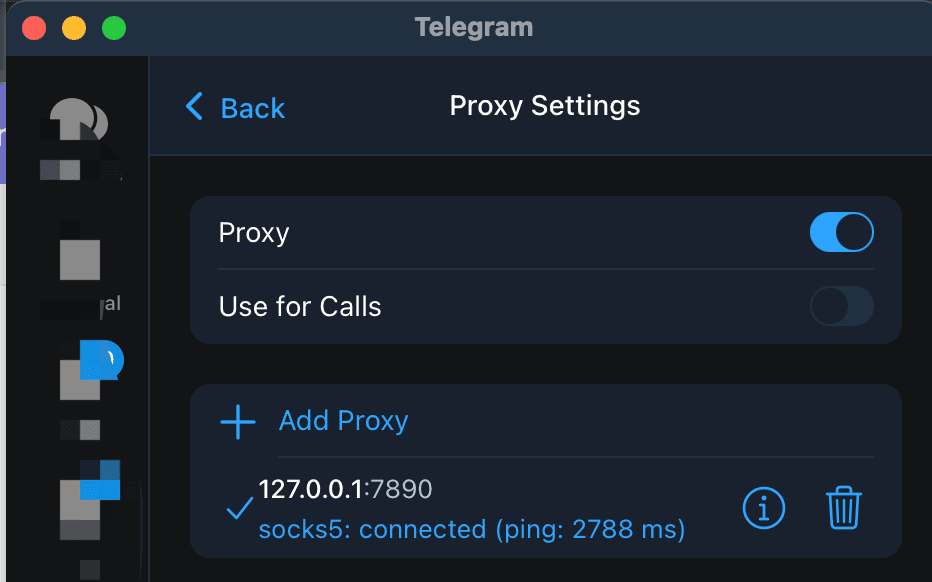
Telegram's WEB proxy is a separate Telegram Desktop proxy type. It uses a hosted web relay to carry an MTProto connection through a WebView, while Telegram Web in a browser is a different product surface. Telegram's official MTProxy page documents proxy settings for mobile and desktop apps and lists MTProto and SOCKS5 credentials. Telegram Desktop's WEB proxy design notes describe https://t.me/webproxy?... and tg://webproxy?... links for the WEB type. Use that option only when your Desktop build exposes it and the source gives a compatible host and secret. A regular tg://proxy link belongs to an MTProto entry; it is not a WEB link. The Desktop implementation documents are version- and client-specific, so a missing WEB option is a client limitation to record, not a reason to mix fields from another proxy type. TGProxyHub's Online badge is a lower-level server check. It cannot tell you whether a WEB route will authenticate or carry Telegram traffic from your network.
What does a WEB proxy mean in Telegram Desktop?
The name describes how Telegram Desktop carries its connection. The official Desktop design document describes a WEB entry as an MTProto connection that uses a hidden native WebView as its external HTTPS carrier. The same document describes a relay between that carrier and a stock MTProxy.
That design gives the option a different field shape from a normal MTProto row. The documented WEB form uses a hostname and an MTProto secret. HTTPS and port 443 are fixed in the design, so there is no separate port field. This is an implementation detail of Telegram Desktop's WEB type, not a rule for every proxy form in every Telegram client.
The design notes help identify the proxy type and its link format. They do not guarantee that every stable Desktop build, operating system, or account will show the option. Check the client you actually use before choosing a provider.
Is a Telegram WEB proxy the same as Telegram Web?
No. Telegram Web is the browser-based Telegram client linked from Telegram's official apps page. A Telegram WEB proxy is a proxy type inside a Telegram client, currently documented in Telegram Desktop's implementation materials.
Telegram's core proxy documentation lists settings paths for Android, iOS, Telegram Desktop, and macOS. It does not give Telegram Web a proxy-settings path. If web.telegram.org has no proxy control, that is expected from the documented app paths. A browser proxy, operating-system VPN, or network-level route is a separate configuration layer from an MTProto entry inside Telegram.
How are WEB, MTProto, and SOCKS5 different?
Use the row that matches the link or form you were given. Do not copy individual fields between types.
| Type | Where it is documented | Fields or link shape | What to remember |
| --- | --- | --- | --- |
| WEB | Telegram Desktop design materials | Hostname and MTProto secret; t.me/webproxy or tg://webproxy | Client and build support can vary; the design fixes HTTPS port 443 |
| MTProto | Telegram mobile and desktop apps | Server, port, and secret; t.me/proxy or tg://proxy | Keep the three values from one complete entry |
| SOCKS5 | Telegram mobile and desktop apps | Server and port, plus username and password when supplied | It is a different protocol and form from MTProto |
Telegram's deep-link reference documents the standard MTProto and SOCKS5 proxy links. The webproxy format comes from the Telegram Desktop WEB proxy implementation materials, so treat it as a client-specific link type.
How do you add a WEB proxy in Telegram Desktop?
- Open Telegram Desktop's proxy settings through Settings > Advanced > Connection Type. If the proxy list has no WEB choice, stop there. Use a normal MTProto or SOCKS5 path only when the link and credentials match that type.
- If you received a
t.me/webproxyortg://webproxylink, open it from the Desktop client that is meant to handle it. The Telegram Desktop proxy server notes say that the publict.mefrontend may not register this route yet, so a browser page is not enough to prove that the link or secret is invalid. - For manual entry, use the hostname and secret required by the WEB form. Do not add a port, username, or password copied from a SOCKS5 row unless the client explicitly asks for it.
- Save and enable the entry. Refresh an existing chat on the same network and record the result before changing the endpoint, VPN, or system proxy.
The Telegram proxy server guide explains why a normal MTProto record needs its server, port, and secret together. That guide does not turn a normal row into a WEB entry.
What should you check when a WEB proxy does not connect?
Start with the type and client before replacing servers.
| Observation | Likely boundary | Next check |
| --- | --- | --- |
| There is no WEB option | The installed client does not expose this type | Confirm the client build and use a documented proxy type for that client |
| t.me/webproxy opens a browser page | The link was not handed to the intended Desktop client | Try the link from Telegram Desktop or enter the documented WEB fields manually |
| The form asks for a port or SOCKS5 credentials | You are in a different proxy form | Stop and verify whether the source is WEB, MTProto, or SOCKS5 |
| The entry saves but Telegram does not refresh | The client, secret, relay, or network still needs a client-level test | Keep one complete entry, test the same network, and compare one variable at a time |
| The directory shows Online but the app fails | A directory check and a Telegram session are different observations | Treat the app result as the relevant test for your device and network |
TGProxyHub's directory health data records a TCP connection attempt to a listed server and port. It does not enter a Telegram account, verify an MTProto secret, or send a message. Country labels, latency, and a recent Online value therefore cannot prove that a WEB endpoint will work for you.
Does a WEB proxy improve privacy or reliability?
The type name is not a privacy guarantee. Telegram's core documentation says to use proxies from a source you trust and explains that proxy operators are third parties. The Telegram Desktop WEB design also describes a provider-controlled web relay and warns that the provider's code remains untrusted.
A successful connection only shows that this client, endpoint, and network completed a route at that time. Keep the source, build, network, and result together when you evaluate it. If the route handles sensitive conversations, choose an operator you trust instead of relying on a country label or directory status.
Telegram WEB proxy questions
Does tg://proxy open a WEB proxy?
Use the link type that matches the client entry. tg://proxy is the documented MTProto form. Telegram Desktop's WEB materials use tg://webproxy for the WEB type. If a link opens the wrong form, do not repair it by moving its fields into another entry.
Can I use a WEB proxy in Telegram Web?
The official core proxy page documents mobile and desktop settings, not a Telegram Web proxy setting. A browser-level route may affect browser traffic, but it is separate from Telegram Desktop's WEB type and from an MTProto entry inside a Telegram app.
Does an Online badge prove that a WEB proxy works?
No. It can describe a lower-level directory check. Test the exact client, endpoint, and network you care about, and keep the result limited to that observation.
Official references and related guides
- Telegram MTProxy documentation: supported app paths, proxy fields, trust guidance, and MTProto/SOCKS5 behavior.
- Telegram deep links: standard
tg://proxy,t.me/proxy, and SOCKS5 link formats. - Telegram Desktop WEB proxy design: the client-specific WEB transport and field shape.
- Telegram Desktop WEB proxy server: proof-of-concept server notes and current implementation boundaries.
- Telegram proxy for PC: normal Telegram Desktop MTProto and SOCKS5 setup on Windows.
- Telegram proxy link troubleshooting: what to do when a standard proxy link does not hand off to Telegram.
TelegramProxy is not affiliated with Telegram. Public proxy listings are operated by third parties and can change between checks.
Related guides
- Can a Telegram Proxy Make Downloads Faster?
A practical test for Telegram proxy download speed, including route comparisons, endpoint checks, and limits that a proxy cannot remove.
- Does a Telegram Proxy Work for Voice and Video Calls?
Learn what a Telegram proxy can tell you about calls, where to find the call setting, and how to test one route without treating a chat connection as call proof.
- Telegram Proxy for Bots: App Proxy vs Bot API
Learn whether Telegram's in-app proxy changes a bot's API connection, how to route each layer, and how to test the failing path.